
Building AI Apps: Data, Observability & Deployment (December 2025)

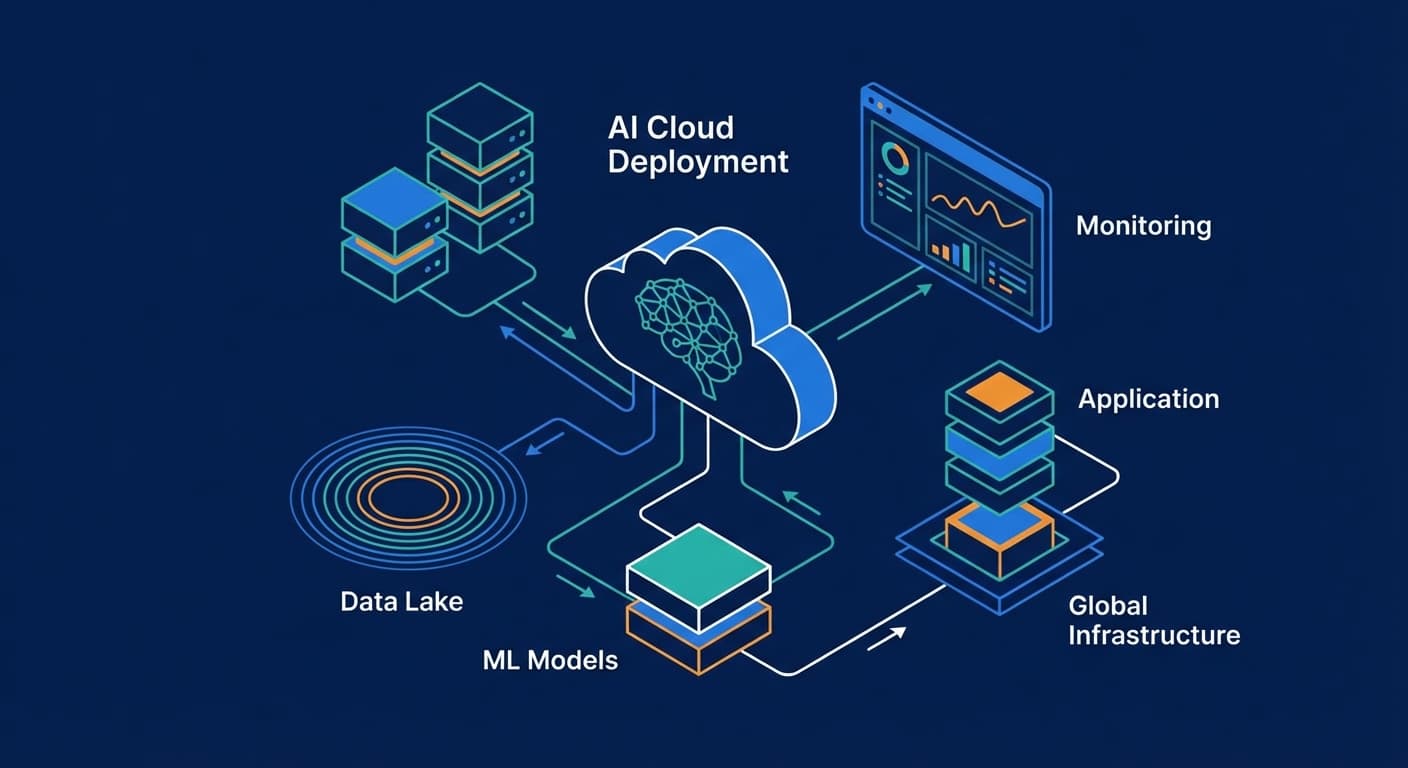
In Part 1, we covered SDKs and frameworks. Now let's complete the stack: data, observability, and deployment.
Layer 3: Data & RAG
When your AI needs to work with your data, you need a data layer.
LlamaIndex.TS
The RAG framework for TypeScript. Abstracts the complexity of loading, chunking, indexing, and retrieval.
2025 highlights:
- LlamaParse with skew detection for better PDF extraction
- LlamaSheets (Nov 2025) for parsing Excel and CSV files
- Multi-document agent system for reasoning across collections
- Azure AI Search integration with hybrid search
- Runs on Node.js, Deno, Bun, and Cloudflare Workers
import { VectorStoreIndex, SimpleDirectoryReader } from 'llamaindex'

const documents = await new SimpleDirectoryReader().loadData('./docs')
const index = await VectorStoreIndex.fromDocuments(documents)
const queryEngine = index.asQueryEngine()

const response = await queryEngine.query('What is the refund policy?')Best for: Document Q&A, knowledge bases, any RAG application.
Vector Databases
You need somewhere to store embeddings.
Pinecone
- Fully managed, serverless, no ops required
- Scales to billions of vectors
- Official Node.js/TypeScript SDK
- Best for: Production RAG at scale
Supabase pgvector
- PostgreSQL with vector extension
- Store relational and vector data together
- Hybrid search (semantic + keyword)
- Best for: Teams on Supabase, cost-conscious, moderate scale
Weaviate
- Open-source with cloud option
- Best-in-class hybrid search (vector + BM25)
- Official TypeScript client
- Best for: Complex search requirements
Quick decision:
- Starting out → Supabase pgvector
- Production scale → Pinecone
- Hybrid search → Weaviate
Layer 4: MCP — The Industry Standard
MCP (Model Context Protocol) is the biggest shift in AI tooling in 2025. Created by Anthropic, it's now the industry standard.
What is MCP?
An open protocol that standardizes how AI models connect to external tools and data. Think of it as a universal adapter for AI integrations.
Why It Matters
Before MCP, every provider had different tool patterns. Now you write integrations once and they work everywhere.
2025 Enterprise Adoptions:
- Atlassian Rovo — Jira and Confluence in any AI
- S&P Global + AWS — Financial data for AI agents
- Databricks Agent Bricks — Enterprise workflow automation
- AWS API Gateway MCP Proxy — Convert REST APIs to MCP
Building with MCP
import { MCPServer } from '@modelcontextprotocol/server'

const server = new MCPServer({
  name: 'my-tools',
  tools: [
    {
      name: 'get_user',
      description: 'Get user by ID',
      inputSchema: {
        type: 'object',
        properties: { id: { type: 'string' } },
        required: ['id']
      },
      handler: async ({ id }) => {
        const user = await db.users.findById(id)
        return { content: JSON.stringify(user) }
      }
    }
  ]
})Use MCP from day one on any serious project. It future-proofs your integrations.
Layer 5: Observability
You can't improve what you can't measure.
LangSmith
Deep integration with LangChain/LangGraph. Traces every agent step, visualizes state changes, manages prompts.
Best for: LangChain users wanting comprehensive tracing.
Helicone
Provider-agnostic logging via proxy. Works with OpenAI, Anthropic, Vercel AI SDK.
const openai = new OpenAI({
  baseURL: 'https://oai.helicone.ai/v1',
  defaultHeaders: {
    'Helicone-Auth': `Bearer ${process.env.HELICONE_API_KEY}`
  }
})One line change, instant observability. Automatic cost tracking and latency monitoring.
Best for: Quick setup, cost monitoring.
Braintrust
OpenTelemetry-based with focus on evaluation. Dataset management, A/B testing, quality scoring.
Best for: Teams iterating on prompt quality.
What to Track
- Latency — Time to first token, total response time
- Token usage — Input and output per request
- Cost — Actual spend per feature/user
- Error rates — Failed requests, retries
Quick start: Helicone. One line of code, immediate value.
Layer 6: Deployment
Where does your AI code run?
Vercel AI Cloud
Vercel has evolved into an "AI Cloud" with purpose-built infrastructure.
- AI Gateway — Unified endpoint for 100+ models with failover
- Fluid Compute — Optimized for AI workloads
- Active CPU Pricing — Pay only for actual CPU time
Best for: Next.js apps, frontend teams, real-time AI.
Cloudflare Workers AI
Edge inference on Cloudflare's global network.
- 50+ open-source models (Llama, Mistral, Gemma)
- 2-4x faster inference with speculative decoding
- Acquired Replicate in Nov 2025 (50,000+ models coming)
Best for: Global low-latency, open-source models.
Railway / Render
Simple container deployment for long-running jobs.
Best for: Background processing, batch jobs.
Quick decision:
- Next.js + real-time → Vercel
- Global edge + open models → Cloudflare
- Background jobs → Railway/Render
My Recommended Stack
After building AI features across multiple projects:
Framework → Vercel AI SDK Most adopted, excellent DX, streaming
Complex Agents → LangGraph Durable execution, visual debugging
RAG → LlamaIndex.TS Best document handling in TypeScript
Vector DB → Supabase pgvector → Pinecone Simple start, scale when needed
Integrations → MCP Industry standard, future-proof
Observability → Helicone One-line setup, cost tracking
Deploy → Vercel Integrated with AI SDK, great DX
For Learning
- Start with raw OpenAI SDK — Understand the basics
- Add Vercel AI SDK — Get streaming and abstraction
- Add LlamaIndex — When you need RAG
- Add LangGraph — When you need agents
For Production
- Use MCP from day one for tool integrations
- Set up observability early (Helicone is one line)
- Start with Supabase pgvector, migrate to Pinecone at scale
- Build with Vercel AI SDK unless you need LangGraph
🎁 Free Resource: The Tech Stack Cheat Sheet
Want a one-page reference for this entire stack? I've built a printable cheat sheet with a decision tree and code snippets.
View the AI Tech Stack Cheat Sheet →
What's Next?
You now know the complete JavaScript AI stack for 2025.
Previous posts in this series:

Frank Atukunda
Software Engineer documenting my transition to AI Engineering. Building 10x .dev to share what I learn along the way.
Comments (0)
Join the discussion
Sign in with GitHub to leave a comment and connect with other engineers.