Tokens, Embeddings, and Context Windows: The LLM Glossary for Web Developers

You've probably tried to paste a massive error log or a 5,000-line config file into ChatGPT, only to be hit with a "Message too long" error. Or maybe you're looking at your OpenAI API bill and wondering why you're being charged for "tokens" instead of requests.
To build real applications with AI, you need to stop treating it like a magic chatbot and start treating it like a system with specific constraints and data structures.
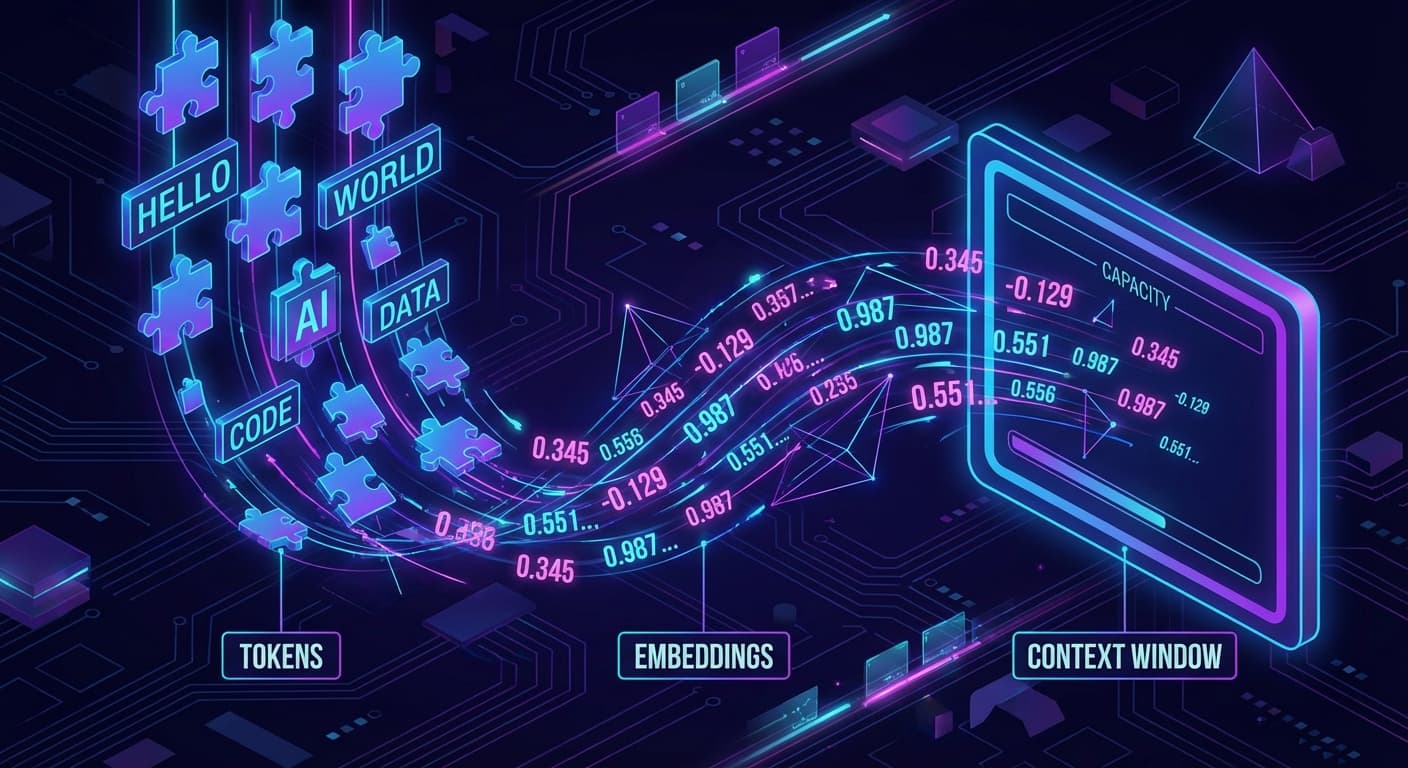
The language of that system isn't English or JavaScript. It's numbers. Specifically, three concepts that govern everything you'll build: Tokens, Embeddings, and Context Windows.
Let's demystify them using concepts you already know as a web developer.
1. Tokens: The Atomic Unit of LLMs
We tend to think of text as strings of characters.
const message = "Hello world"; // 11 characters
But LLMs don't read characters. They read tokens.
A token is the basic unit of text for a model. It's not quite a word, and it's not quite a character. It's a chunk of text that the model has learned to process efficiently.
The "Bytecode" Analogy
Think of tokens as the bytecode of LLMs. Just as V8 compiles your JavaScript source code into bytecode that the machine actually executes, an LLM "tokenizer" compiles your raw text into a list of integer IDs before the model ever sees it.
- Common words like "apple" might be a single token.
- Complex or compound words like "unbelievable" might be split into multiple tokens:
un,believ,able. - Whitespace and punctuation are also tokens.
Why Does This Matter?
- Cost: You are billed per token, not per request.
- Performance: Generating 100 tokens takes roughly 10x longer than generating 10 tokens.
- Limits: Models have a hard limit on how many tokens they can process (more on this later).
Rule of Thumb: 1,000 tokens is approximately 750 words.
Visualizing Tokens in Code
If you were to implement a simple tokenizer in TypeScript, it might look conceptually like this:
// Conceptual illustration - not actual tokenizer code
const text = "console.log('Hello')";

// What you see:
// "console.log('Hello')"

// What the LLM sees (roughly):
const tokens = [
  1342, // "console"
  14,   // "."
  382,  // "log"
  7,    // "("
  82,   // "'"
  4921, // "Hello"
  82,   // "'"
  8     // ")"
];2. Embeddings: Turning Meaning into Math
If tokens are the syntax of LLMs, embeddings are the meaning.
An embedding is a vector—a list of floating-point numbers—that represents the semantic meaning of a piece of text.
The "E-Commerce Search" Analogy
Forget the classic "King - Man + Woman = Queen" example. Let's talk about something practical: Search.
Imagine you're building search for an electronics store.
- User searches for: "Professional laptop for coding"
- Your database has a product: "MacBook Pro M3 Max"
A standard SQL LIKE query or keyword search might fail here. The product title doesn't contain the word "coding" or "professional".
But semantically, we know they are a perfect match.
Embeddings solve this. When you generate an embedding for "Professional laptop for coding" and an embedding for "MacBook Pro M3 Max", the resulting vectors will be mathematically very close to each other.
Conversely, "Toy laptop for kids" might share the word "laptop", but its embedding vector will be far away from "Professional laptop for coding".
Visualizing Embeddings
Imagine a 2D graph where every point is a concept.
- Cluster A: "React", "Vue", "Angular", "Svelte" (Frontend frameworks)
- Cluster B: "Postgres", "MySQL", "MongoDB", "Redis" (Databases)
- Cluster C: "Pizza", "Burger", "Sushi" (Food)
"React" and "Vue" will be physically close on this graph. "React" and "Pizza" will be very far apart.
How to Use Them
You don't calculate these yourself. You use an API.
import OpenAI from 'openai';

const openai = new OpenAI();

async function getEmbedding(text: string) {
  const response = await openai.embeddings.create({
    model: "text-embedding-3-small",
    input: text,
  });

  // Returns a vector (array of numbers)
  // e.g., [-0.012, 0.045, -0.98, 0.11, ...]
  return response.data[0].embedding;
}Once you have these vectors, you can store them in a Vector Database (like Pinecone or pgvector) and query them to find "nearest neighbors"—aka, the most semantically similar content.
3. Context Windows: The Hard Limit of "Memory"
The Context Window is the maximum number of tokens the model can consider at one time. This includes both your input (prompt) and the model's output (completion).
The "RAM" Analogy
Think of the context window like your computer's RAM.
- It's the "working memory" available for the current task.
- It's fast, but limited.
- When you run out, things break (or in the LLM's case, it forgets).
If a model has a context window of 8,000 tokens (approx. 6,000 words), and you try to feed it a 10,000-word document, it physically cannot "see" the whole document at once. It's like trying to load a 100GB game into 16GB of RAM.
The "Sliding Window" Problem
This is why chat applications can't remember everything forever. As the conversation grows, you eventually hit the limit. To keep the conversation going, you have to start dropping the oldest messages from the array you send to the API.
// We can't send infinite history.
// We have to truncate the oldest messages to fit the context window.
const messages = [
  // { role: "user", content: "Hi" }, // <-- Dropped to make room
  // { role: "assistant", content: "Hello!" }, // <-- Dropped
  { role: "user", content: "What is the capital of France?" },
  { role: "assistant", content: "Paris." },
  { role: "user", content: "And what is the population?" }
];Why RAG Exists
This limitation is exactly why RAG (Retrieval Augmented Generation) is so popular.
You can't fit your entire company wiki into the context window. So instead, you:
- Search your wiki for the relevant paragraphs (using Embeddings).
- Retrieve only those specific chunks.
- Paste them into the context window along with the user's question.
Putting It All Together: The "Chat with Docs" Flow
Let's see how these three concepts work together in a real feature: A Chatbot for your Documentation.
- User asks a question: "How do I reset my password?" (Tokens)
- Convert to Vector: You send that question to an embedding API to get a vector. (Embeddings)
- Search: You query your vector database for documentation chunks that are semantically similar to that vector.
- Construct Prompt: You take the relevant documentation chunks and paste them into the system prompt.
- System: "Answer the question using these docs: [Chunk 1] [Chunk 2]..."
- Generate: You send this prompt to the LLM. It must fit within the model's limit. (Context Window)
- Response: The LLM predicts the next tokens to form the answer. (Tokens)
Summary
- Tokens: The "bytecode" of text. The unit of cost and processing.
- Embeddings: The "meaning" of text as numbers. Used for search and comparison.
- Context Window: The "RAM" or working memory limit of the model.
Now that you speak the language of the machine, you're ready to start building. In the next post, we'll look at When Should You Use AI?—a decision framework to stop you from sprinkling AI on everything just because you can.

Frank Atukunda
Software Engineer documenting my transition to AI Engineering. Building 10x .dev to share what I learn along the way.
Comments (0)
Join the discussion
Sign in with GitHub to leave a comment and connect with other engineers.